
Graphically control transfer velocity
DU Meter is an app that will help to regulate the amount of traffic or data running through your system, without the need for expensive network administration software.
Top Recommended Alternative

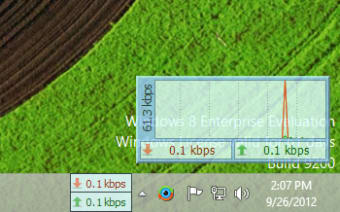
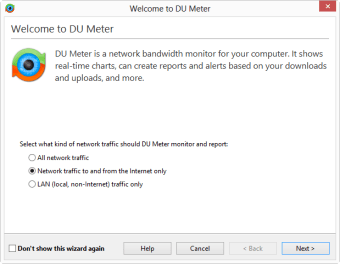
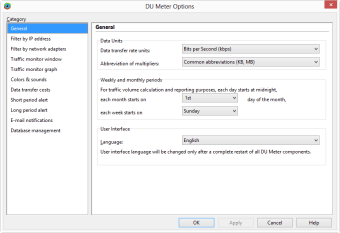
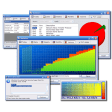
DU Meter is a free utility which includes an extensive logging facility, flexible events system, and it works with virtually all types of network connections including phone modems, DSL, cable modem, LAN and satellite. By using DU Meter, you can observe or anticipate unexpected changes and even receive alerts about dangerous or unexpected network activity. From a pretty basic app, DU Meter has now been updated to make it a pretty impressive package that incorporates a much improved graphical user interface and a new mini mode in which the program operates extremely discreetly. In addition, the program now uses a real database engine, which allows for much more accurate and detailed alerts regarding unusual network activity. It should be noted that in Windows Vista, DU Meter is even more easily accessibly thanks to a sidebar gadget that unfortunately isn't available in other versions of Windows.
For basic network monitoring and prevention of unexpected internet loss or abnormal activity, DU Meter has it all.
Changes
Localization fixes Badly broken localization after an upgrade from version 5.26: Some localization files were not updated properly during an upgrade. Language setting in DU Meter options did not reflect actual GUI language in effect. Several typos and other small errors in localized text are fixed. DU Meter title bar showed wrong text after a language change. GUI Fixes DU Meter taskband was not working properly on Windows Server 2008 R2 or when Windows 7 classic theme was in effect. Network connection Viewer did not show names for some processes. Network Connection Viewer now fully supports IPv6. Mini-mode is activated on double-click regardless whether DU Meter taskbar band is visible or not. DU Meter "beep" sound was clipping badly. Registration notification dialog is no longer shown if full-screen applicaton is active (game, video, etc.) Two registration notification messages were shown sometimes after the reboot. Startup & shutdown fixes DU Meter intermittently failed to start on Windows startup if auto-logon is enabled. DU Meter service sometimes failed to start properly on some Windows XP computers with SSD hard disks (and reported Error 111 to the Windows event log). Rare crashes on Windows shutdown are fixed. Installation fixes DU Meter installer should not proceed with the install if Base Filtering Engine (BFE) is not working properly on user's computer. DU Meter service was not explicitly defined as depending on Base Filtering Engine on Windows Vista and later. DU Meter service reinstall sometimes leaved service not registered properly during an upgrade. Other fixes Corrected DU Meter Service error reporting: errors were not always saved in the error log. DU Meter error log could grow without limit: new error reporting component prevents this. Token handle leak in DU Meter service fixed: DU Meter could leak handles if nobody is logged in and desktop notifications are scheduled to be run. IPv4 filter mask was not applied properly if custom IP address filter was specified in DU Meter options.